Sainik Complex, Fatehpur Kalan, Chandauli — 232104|Open Daily 6 AM – 8 PM|Call: 8004939324
2 Months · 2 Hrs/Day 100% Hands-On Only AI Course in Chandauli Next Batch: May 1

AI & Digital Tools
Smart Work Training

Learn the tools that the world is using right now. ChatGPT for writing and research, Canva for design, Google Workspace for productivity — all hands-on, all practical. No other institute in Chandauli teaches this. Two months, and you work smarter than most people with years of experience.

New — Nobody Else Teaches This
₹500/month
Total course cost: ₹1,000 (2 months)
Duration2 Months
Schedule2 Hours/Day
BatchesMorning + Evening
Key ToolsChatGPT, Canva, Google Workspace
PrerequisitesBasic computer knowledge helpful
Free Trial1-Day Free Demo
ISO 9001:2015 Certified · 5.0 ★ Google Rating · 500+ Students Trained · Founded by Ex-Microsoft, Google & AmEx Professional
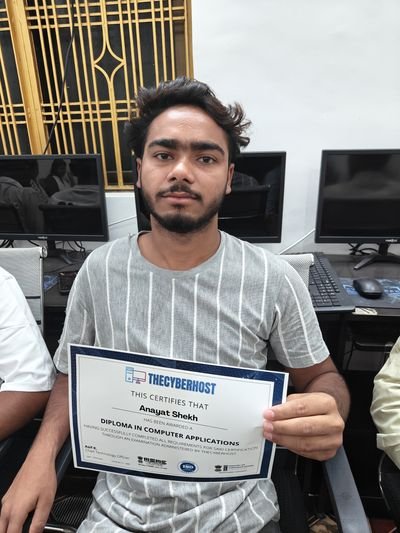
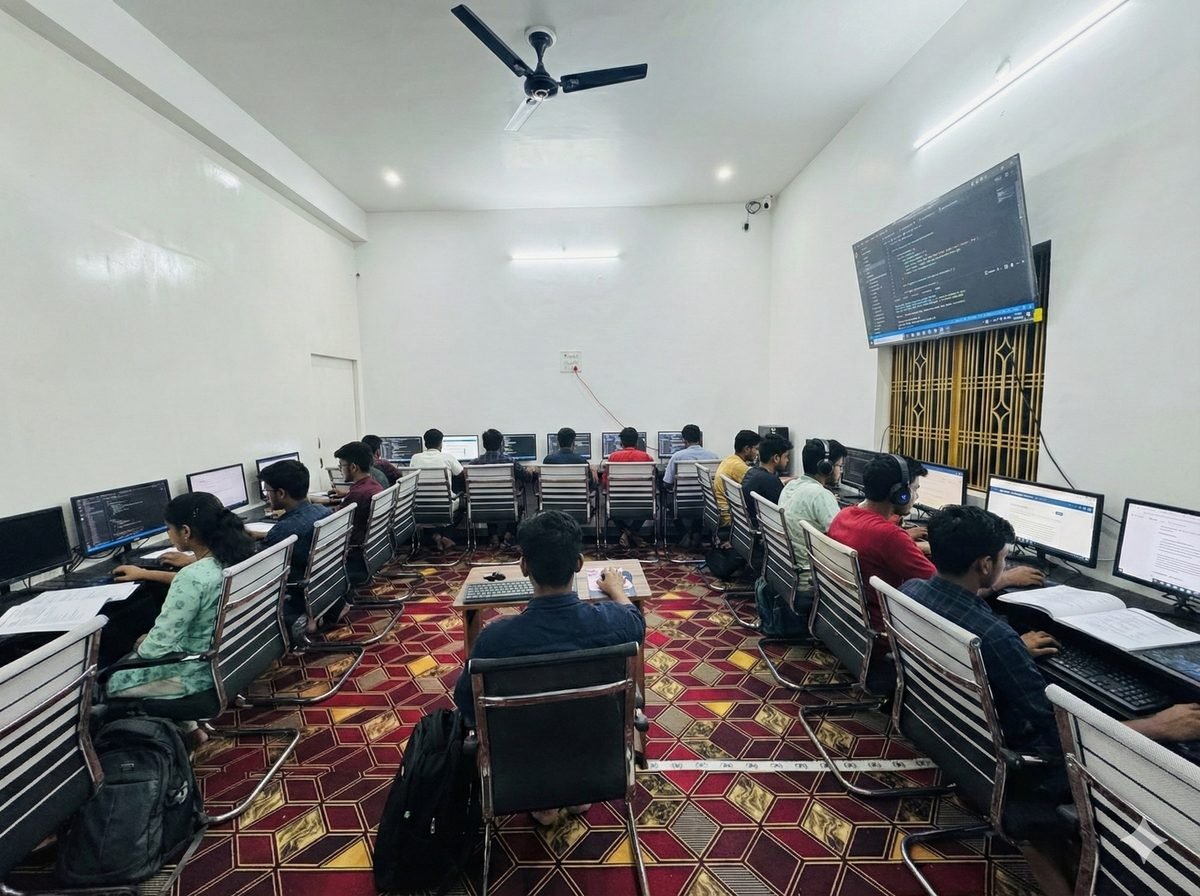
AI tools training at Cyber Gyaan — students working on computers
20-Seat AC Lab — Every Student Learns AI on Their Own Computer
35+ AI Tools — By Category

The complete AI toolkit you will master.

Tap any category to see the tools. Hands-on = you'll use it in class. Overview = we'll demo it so you know when to use it.

✍️Writing & Research5 tools
Hands-on
ChatGPT
OpenAI
Writing, research, summarization, translation — the #1 AI tool worldwide
Hands-on
Gemini
Google
Google's AI — image/video generation, research, integrated with Google Workspace
Overview
Claude
Anthropic
Best for long documents, nuanced writing, complex analysis
Overview
Perplexity AI
Perplexity
AI search engine — answers with sources, replaces Google for research
Overview
Jasper
Jasper AI
Marketing content — ads, product descriptions, email campaigns
🎨Design & Graphics5 tools
Hands-on
Canva + Canva AI
Canva
Design anything — social posts, posters, resumes. AI: Magic Design, Magic Write, background remover
Overview
Midjourney
Midjourney
Most stunning AI image generation — art, photography, concept design
Overview
Adobe Firefly
Adobe
AI images trained on licensed content — safe for commercial use
Overview
DALL-E 3
OpenAI
Image generation inside ChatGPT — create visuals from text prompts
Overview
Ideogram
Ideogram
Best at generating text inside images — logos, posters, signage
🎬AI Video Generation6 tools
Overview
Kling 3.0
Kuaishou
Cinematic AI video — smooth motion, physics, up to 1080p. 66 free daily credits
Overview
Hailuo AI
MiniMax
Best for realistic human motion — faces, expressions, character animation
Overview
Google Veo 3.1
Google
Native audio generation — video + sound together. 100 free monthly credits
Overview
Runway
Runway ML
Professional video editing + generation — motion brush, camera control
Overview
Luma Dream Machine
Luma AI
Fastest video generation — results in 1-2 minutes. 30 free gens/month
Overview
Pika
Pika Labs
Creative effects — crush, melt, inflate, explode. Built for social media
✂️Video Editing & Avatars4 tools
Hands-on
CapCut AI
ByteDance
Free video editor with AI captions, effects, transitions — used by creators worldwide
Overview
Descript
Descript
Edit video by editing text — remove filler words, transcribe automatically
Overview
HeyGen
HeyGen
AI avatar videos — create talking head videos without a camera in 40+ languages
Overview
Synthesia
Synthesia
Professional AI avatar videos for training, onboarding, product explainers
📊AI Presentations5 tools
Hands-on
Gamma
Gamma Tech
Prompt-to-deck in 60 seconds — modern, scrollable, web-style presentations
Hands-on
Canva Slides
Canva
AI-powered presentations with Magic Design — templates, animations, brand kit
Overview
Beautiful.ai
Beautiful.ai
Smart Slides that auto-format — everything aligns and animates automatically
Overview
Google Slides + Gemini
Google
AI slide generation inside Google Slides — free, collaborative, cloud-based
Overview
GenPPT
GenPPT
AI researches your topic first, then builds slides — uses Claude + Gemini Pro
Productivity & Documents4 tools
Hands-on
Google Workspace
Google
Docs, Sheets, Slides, Drive, Forms, Calendar — the complete productivity suite
Overview
Notion AI
Notion
AI-powered notes, docs, project management — write, summarize, organize
Hands-on
Grammarly
Grammarly
AI writing assistant — grammar, tone, clarity, plagiarism check
Overview
Microsoft Copilot
Microsoft
AI inside Word, Excel, PowerPoint, Outlook — enterprise productivity
💼Job Search & Career4 tools
Hands-on
ChatGPT for Resumes
OpenAI
Write professional resumes, cover letters, and job application emails with AI
Hands-on
LinkedIn AI
LinkedIn
Profile optimization — headline, summary, skills. AI-powered job matching
Hands-on
Canva for Portfolios
Canva
Design visual portfolios and resumes that stand out from plain text
Hands-on
Perplexity for Research
Perplexity
Research companies, industries, interview questions before applying
Course Syllabus

What you will learn — month by month.

Every class is practical. Tap each week to see the full topic list.

M1

Month 1 — AI Tools & Design

Master ChatGPT and Canva. Create content, designs, and presentations using AI.

Week 1-2

ChatGPT — AI-Powered Productivity

What is AIPrompting techniquesWriting emails & lettersSocial media postsBlog outlinesResearch & summarizationHindi ↔ English translationDaily tasks with AI
Week 3-4

Canva & Canva AI — Design for Everyone

Canva interfaceTemplates & layersInstagram postsFacebook coversWhatsApp statusPresentationsPosters & resumesCanva AI: text-to-imageMagic WriteBackground removerBrand kitExport for print & digital
M2

Month 2 — Workspace, Social Media & Career

Productivity tools, social media management, and AI-powered job search.

Week 5-6

Google Workspace & Social Media Tools

Google DocsGoogle SheetsGoogle SlidesGoogle DriveGoogle FormsGoogle CalendarContent schedulingHashtag researchContent calendar
Week 7-8

AI for Jobs & Final Projects

AI resume buildingLinkedIn optimizationJob search with AIGemini overviewClaude overviewCopilot overviewAI automation basicsProject: Social media calendarProject: Blog postProject: Business poster
You Will Build These

Real projects, not just exercises.

By the end of 2 months, you will have a portfolio of work you actually created using AI tools.

Project 1

Social Media Calendar

Plan and design a full month of Instagram content for a real or practice business using Canva and ChatGPT.

Project 2

Professional Resume

Build your resume using ChatGPT for content and Canva for design. Ready to send to employers.

Project 3

Blog Post with AI

Research, outline, write, and format a complete blog post using ChatGPT. Learn the full content workflow.

Project 4

Business Poster

Design a professional poster or flyer for a local business using Canva AI features.

Project 5

Presentation Deck

Create a 10-slide professional presentation using Google Slides and Canva templates.

Project 6

LinkedIn Profile

Build and optimize your complete LinkedIn profile with AI-written headline, summary, and skills.

The only AI training in Chandauli district.

No other institute in Chandauli, Mughalsarai, or the surrounding 30km radius offers hands-on AI tools training. This course gives you skills that most people — even in big cities — are still figuring out on their own.

Who Is This For

Is this course right for you?

Who Should Join

  • + Anyone who wants to work smarter with AI tools
  • + Students wanting skills that employers now expect
  • + Small business owners wanting to use AI for their business
  • + Job seekers wanting to stand out with modern AI skills
  • + People who already know computers but want to learn AI

Career Outcomes After This Course

  • + AI-assisted content creation for any industry
  • + Social media management using modern tools
  • + Increased productivity in any office or remote role
  • + Freelancing with AI-powered design and writing
  • + Competitive edge in any job interview or application
Why Cyber Gyaan

Why learn AI here — not on YouTube.

ONLY

Only AI Course in Chandauli

No other institute in the district teaches ChatGPT, Canva AI, and Google Workspace hands-on.

1:1

Hands-On, Not Just Slides

Every class is on a real computer. You do the work, not just watch. Individual system per student.

2mo

Fast & Practical

2 months, ₹500/month. Learn the tools employers and freelance clients actually want right now.

Student Reviews

What our students say.

5.0 rating across 33 verified Google reviews.

★★★★★

“This computer academy is best in our district”

V
Vishal Yadav
Google Review
★★★★★

“Excellent computer classes”

A
Anuj Maurya
Google Review
★★★★★

“Cyber gyaan computer classes is best study”

A
Adarsh Sharma
Google Review
Also Explore

Other courses at Cyber Gyaan.

AI Course FAQ

Common questions about this course.

ChatGPT (prompting, content creation, research, summarization, translation), Canva (social media design, presentations, posters, AI features like text-to-image and magic write), Google Workspace (Docs, Sheets, Slides, Drive, Forms, Calendar), social media tools, basic automation, and AI for job seekers (resume building, LinkedIn optimization, job search).
Basic computer knowledge is helpful but not mandatory. If you can open a browser and type, you are ready. We start with the basics and build up from there.
₹500/month. Total cost for the 2-month course is ₹1,000. No registration fee, no hidden charges.
Freelancing (content creation, social media design), social media management for businesses, increased productivity in any office role, AI-powered job search and applications, and running a small business more efficiently using AI tools.
Yes. 1-day free trial. You will see ChatGPT and Canva in action, experience the teaching style, and then decide. No payment required for the demo.

See AI in action with a free demo class.

Walk in, watch ChatGPT and Canva work in real time, ask questions, try it yourself. If you are impressed, join. If not, no pressure at all.

Book Free AI Demo →
Book Free AI Demo →